
LEVEL UP YOUR ENGLISH WITH BRAINO

Your words.
Your vocabulary notebook.

Braino is an English vocabulary app for Japanese speakers. Collect only the English words and phrases you actually come across, build your own word list, and make them stick with quick tests. Not someone else's word list — just what you need.

Launch sale¥1,000 → ¥700 (Japan price)

Download on the App Store iPhone & iPad (iOS 18.0 or later) / One-time purchase, no subscription, no ads
The app is in Japanese.
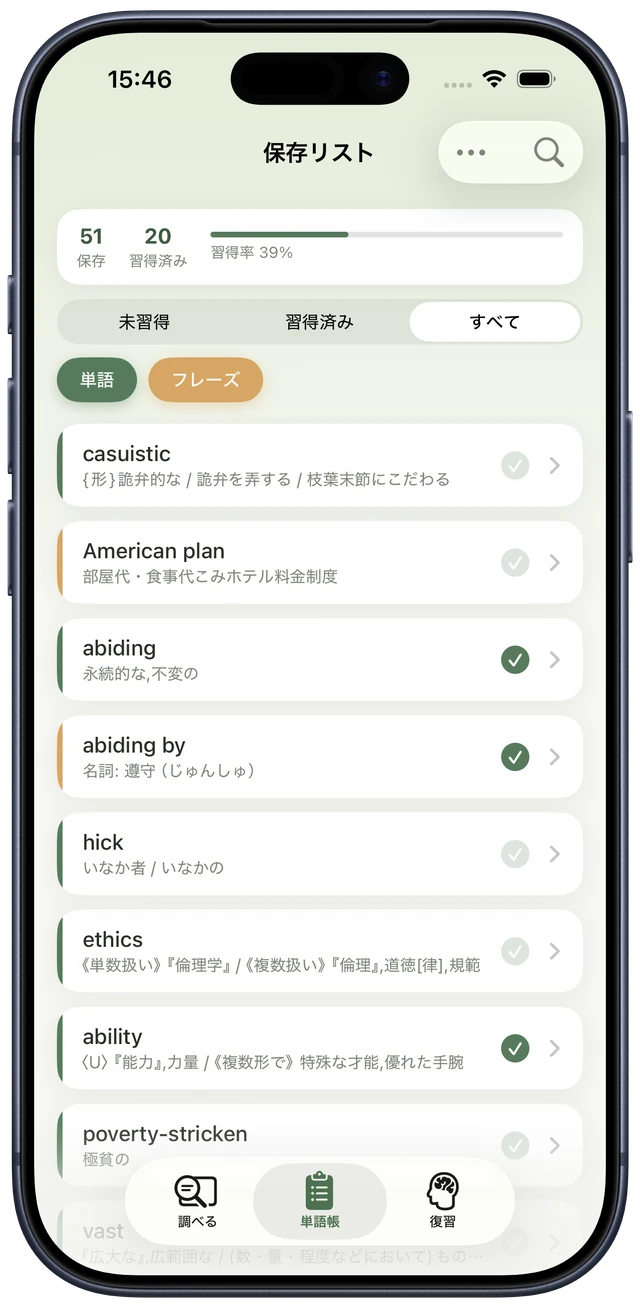
Braino's saved list screen showing saved words with their learning status Words 46,000 included
~46,000 English headwords (English-Japanese)
~30,000 example sentences
IPA & Text-to-Speech for common English words

From the words you meet to the words you own.

Braino turns "meeting a new word" and "mastering it" into one simple flow.

01

Look it up on the spot

Search any word in the built-in dictionary. Type in English or Japanese — Braino detects the language automatically.

02

Save it with one tap

Save straight from the search results. Write down longer phrases freely. Your notebook grows with only the words you've met.

03

Test yourself and master it

Quiz yourself on what you saved. Words you know move to "Mastered"; words you don't come back again. Repeat, and your notebook becomes your vocabulary.
6 things that make learning work

Simple, with everything you need.

Search and save in one step

Look up words in the built-in English-Japanese dictionary and save them with one tap. Almost no manual typing needed.

Track progress at a glance

Saved items are sorted into "Learning" and "Mastered", with word/phrase filters, so you always know what to study next.

Tests at your own pace

Three presets — Quick Review, Weak Spots, and Full Review — plus custom settings. No forced daily goals, no streak pressure.

Built-in dictionary, works offline

The dictionary lives inside the app. Search, save, and test all work on your device — even in airplane mode. No account required.

Pronunciation and audio

English words show IPA pronunciation automatically, and text-to-speech lets you learn with both your eyes and ears.

Your data stays yours

The developer never collects or views your saved words or study history. Your notebook belongs only to you.

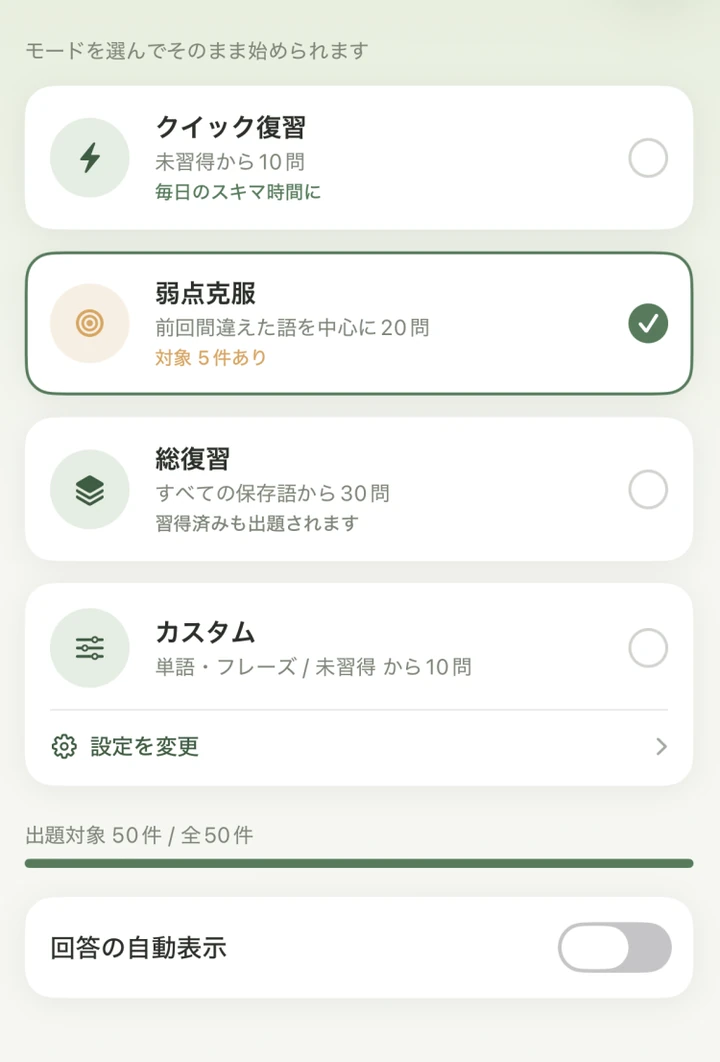
Pick a test that fits your mood.

Some days it's a quick 10 questions; other days you want to crush your weak spots. Choose a mode and tap Start.

Test settings screen with four modes: Quick Review, Weak Spots, Full Review, and Custom

Three presets let you start instantly, with no setup. And there's more to them than that.

  • "Weak Spots" builds its questions automatically from your answer history
  • See how many items match your settings as you choose
  • Go custom to set the number of questions, item type, and learning status

Auto-reveal (1–10 seconds) works in every mode: the hidden answer appears automatically, so you don't need to tap to see it. (You mark "Got it / Didn't get it" by swiping or tapping.)

No forced routines. No notifications chasing you. Study when you want, as much as you want.

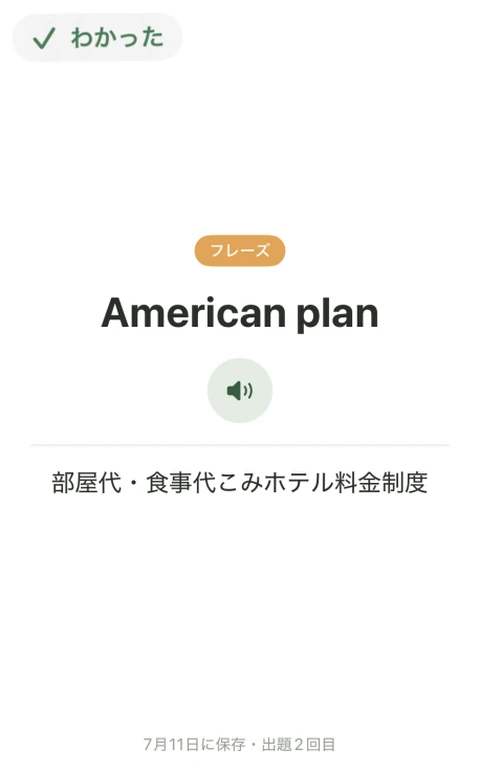
Don't stop at "I think I know it."

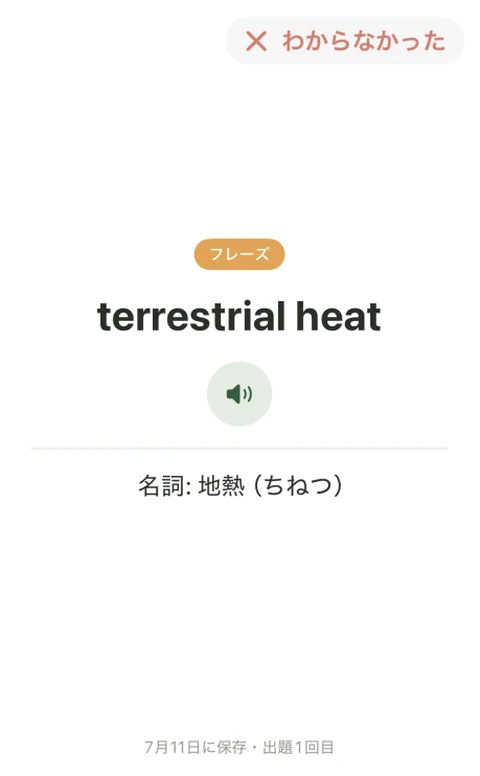
See the word, recall its meaning, then just swipe the card. Right for "Got it", left for "Didn't get it".

  • Grade yourself on the spot by whether you recalled it from the word alone
  • See your accuracy at a glance on the results screen
  • Move correct answers to "Mastered" in one go
  • Missed words get picked up by "Weak Spots" next time

Every test sharpens your notebook into "mastered" and "not yet".

Test flashcard swiped right to mark it as known Test flashcard swiped left to mark it as not known Test result screen showing a 60% accuracy ring
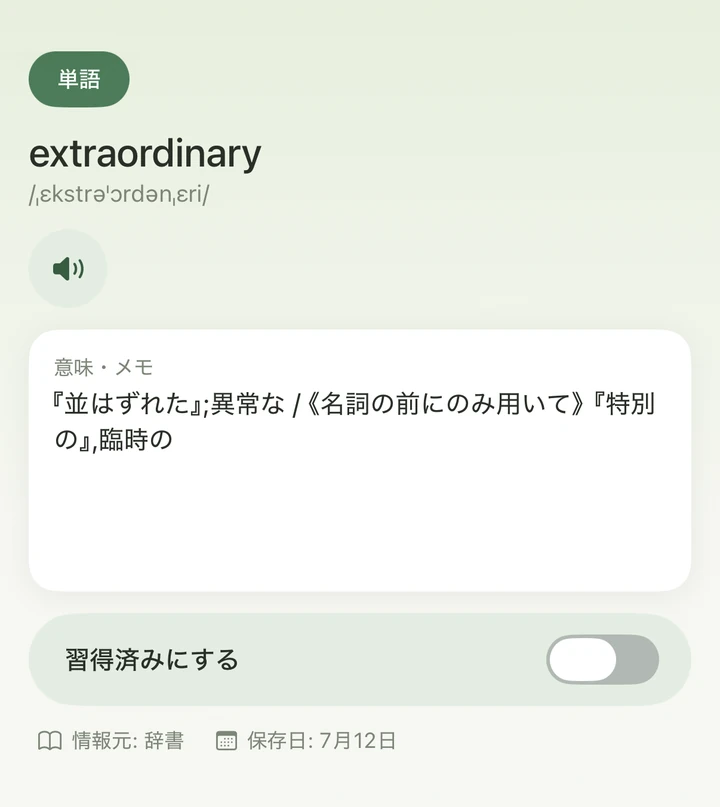
Word detail screen with the headword, IPA, audio button, meaning and notes, and a Mastered toggle

Take time with each word.

Every saved item has its own detail page. Check the pronunciation with audio, and add meanings and notes in your own words.

  • One-tap audio, plus IPA for English words
  • Edit meanings and notes freely to record your own understanding
  • Flip the "Mastered" toggle to log your progress right away

Just as comfortable on iPad.

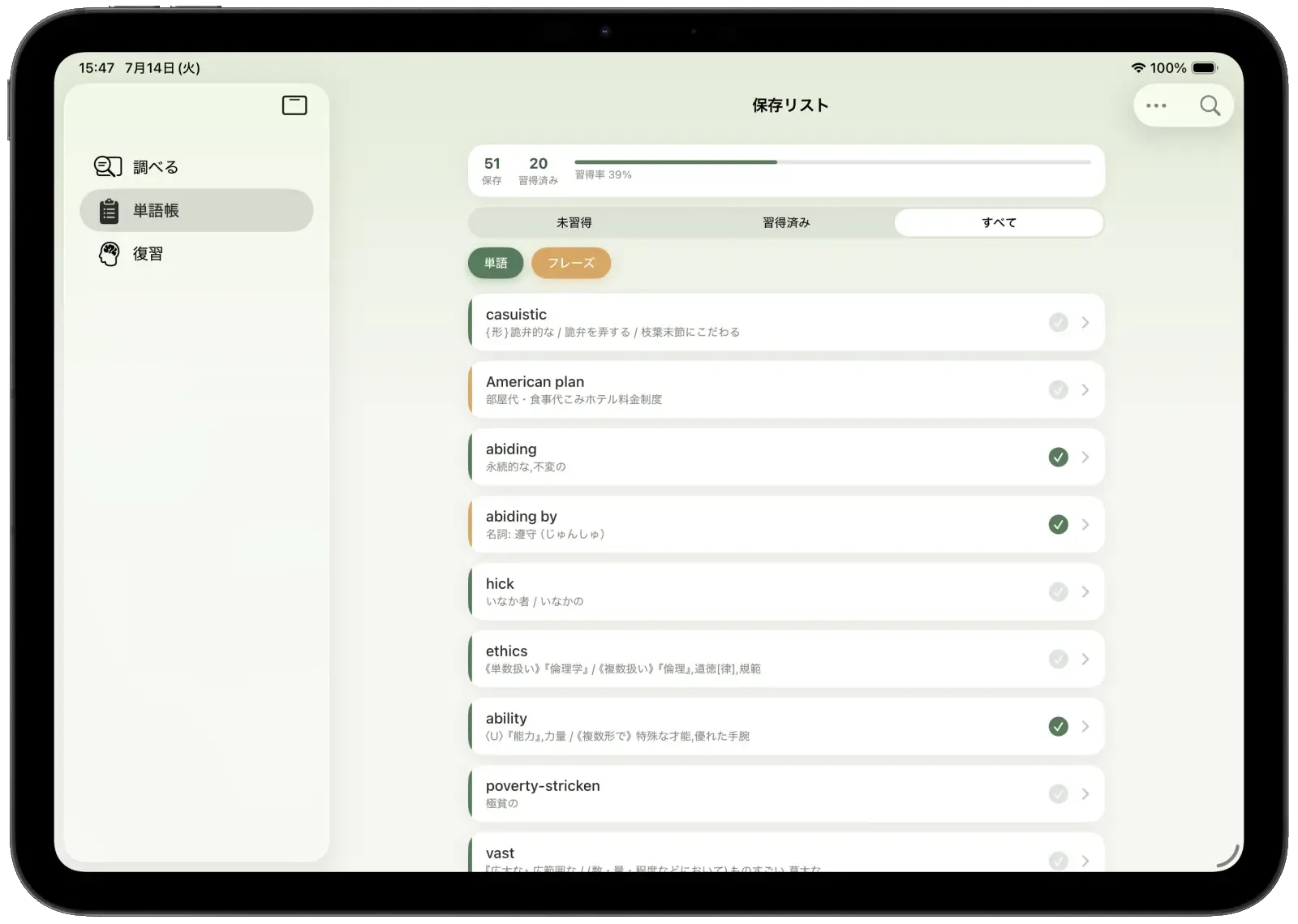
A wider screen and sidebar make your notebook easier to browse.

Braino's saved list on iPad in landscape, with a sidebar for Search, Notebook, and Review

FAQ

Who is Braino for?

Braino is designed for Japanese speakers learning English. The app's interface and dictionary meanings are in Japanese.

Does it work offline?

Yes. The dictionary is built into the app, and searching, saving, and testing all happen on your device. It works in airplane mode or without signal. An internet connection is needed only once, to agree to the Terms of Service on first launch.

Is there a monthly fee?

No. Braino is a one-time purchase with no additional charges, subscriptions, or ads.

Can I save long phrases that aren't in the dictionary?

Yes. You can save any phrase or sentence by entering the headword and meaning/notes yourself. They can be tracked and tested just like words.

Which devices are supported?

iPhone with iOS 18 or later, and iPad with iPadOS 18 or later.

Where is my data stored?

Everything is stored on your device and never sent to external servers. To back up for a new device, use the standard iCloud Backup in iOS. See the Privacy Policy for details.

About the dictionary data

This app uses the JMdict/EDICT files provided by the EDRDG (Electronic Dictionary Research and Development Group) as its English-Japanese dictionary data, converted into a different format (EDRDG License / CC BY-SA 4.0).

Example sentences are Japanese-English sentence pairs originating from the Tanaka Corpus and maintained by the Tatoeba Project, converted into a different format (CC BY 2.0).

Pronunciation data uses the CMU Pronouncing Dictionary (BSD-2-Clause License).

Start your own vocabulary notebook today.

A smarter, more efficient way to learn English words.

Download on the App Store

Launch sale  ¥1,000 → ¥700 (Japan price)

iPhone & iPad (iOS 18.0 or later) / One-time purchase, no subscription, no ads